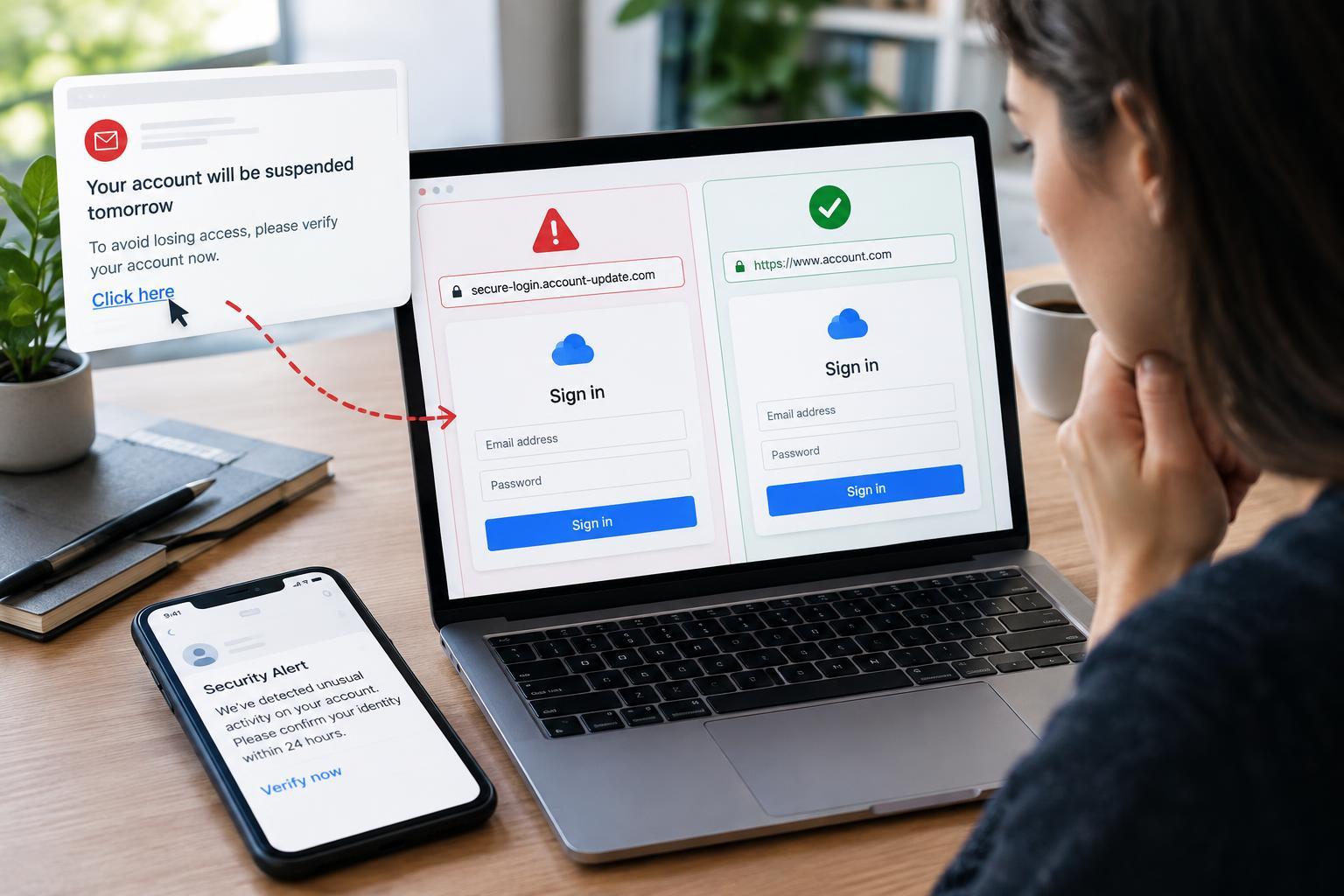
1. Recognize the request, not just the appearance
Phishing is an attempt to trick you into revealing sensitive information, sending money, downloading harmful software, or granting access. It can arrive through email, text messages, social platforms, workplace chat, or QR codes. Messages often impersonate familiar organizations or people, but they can also come from a real account that someone has compromised.
Start by examining what the message wants you to do. Unexpected requests to sign in, confirm payment details, open an attachment, or share a verification code deserve scrutiny. Pressure is another warning sign: threats of account closure, missed deliveries, or an urgent executive request can discourage careful checking. Urgency alone does not prove fraud, but it is a reason to pause.
Do not rely on spelling mistakes as your main test. Phishing can be polished, personalized, and visually convincing. A familiar logo, accurate signature, or existing conversation thread does not establish authenticity. The important question is whether the request makes sense and can be confirmed independently.
2. Inspect links without trusting their labels
A link’s visible text can differ from its destination. On a desktop, hovering over a link often reveals the address. On a phone, pressing and holding may show it, although behavior varies by app and some previews can load content. If inspection is awkward or uncertain, skip the link and open the organization’s known app or website yourself.
Read the hostname: the part after the initial double slash and before the next slash, question mark, or hash. Watch for misspellings, substituted characters, and extra words. In the fictional address https://account.example.com.security-check.test/login, the host belongs under security-check.test, not example.com. A familiar name placed earlier in an address does not make the destination legitimate.
HTTPS and a padlock indicate an encrypted connection, not an honest operator. Attackers can use encrypted websites too. Shortened links and QR codes can hide destinations, while redirects can change where a link eventually lands. You do not need to decode every suspicious address; independent navigation is usually the simpler, safer option.
3. Check login pages and permission requests
A fake login page may closely copy a real service’s colors, layout, and wording. Before entering credentials, check the browser address and consider how you reached the page. An unexpected login prompt after following a message is a reason to stop, especially if you were already using the service normally.
A password manager can provide a useful signal because it generally matches saved credentials to a website’s address. If it does not offer the expected account, investigate rather than immediately typing the password yourself. This is not a definitive phishing test: legitimate domain changes, app behavior, and configuration can also affect autofill.
Be cautious when a page asks for recovery codes, repeated authentication codes, or approval of an unexpected sign-in notification. Some attacks relay credentials and codes to the real service immediately. Others use genuine authorization screens to request excessive account permissions. Read what access an app is requesting; a legitimate hosting platform does not make every app trustworthy.
4. Verify through a separate, trusted route
Close the message and open the service through a trusted bookmark, its installed app, or an address you already know. Check the relevant notifications, orders, billing details, or security settings there. Avoid treating a search result or sponsored listing as automatic proof that you have found the official site.
If a person appears to be requesting something unusual, contact them through a channel you already trust. For a workplace request, use your established directory or an existing phone number. For a customer-service issue, use contact details inside the official app or your existing account records, not those supplied in the suspicious message.
Verify the specific action, not merely whether the sender exists. Ask whether they requested that document, payment change, or account approval. Follow established approval procedures even when a message claims exceptional urgency. If uncertainty remains, leave the request unfinished and report it through your organization’s security process or the platform’s reporting feature.
5. Respond quickly if you interacted
Clicking a link does not automatically mean an account is compromised. Close the page and note what happened: did you enter information, download a file, install software, or approve access? Avoid opening downloaded files. On a work device, report the incident promptly so the security team can assess it.
If you entered a password, change it through the genuine service and replace it anywhere else you reused it. Review active sessions, recovery details, and connected apps; revoke unfamiliar access where possible. Report exposed payment information to your provider through a trusted channel. For ongoing protection, use unique passwords and phishing-resistant authentication, such as passkeys or security keys, where supported.